Learn how AI-powered automation can reduce onboarding time by 70% while improving new hire satisfaction and compliance.


Cut onboarding from weeks to days with automated document collection and task assignments.

Automated checklists ensure every regulatory requirement is met without manual oversight.

New hires feel supported from day one with personalized AI-driven welcome journeys.

Free your HR team from repetitive admin work to focus on culture and strategy.
Learn how AI-powered automation can reduce onboarding time by 70% while improving new hire satisfaction and compliance.
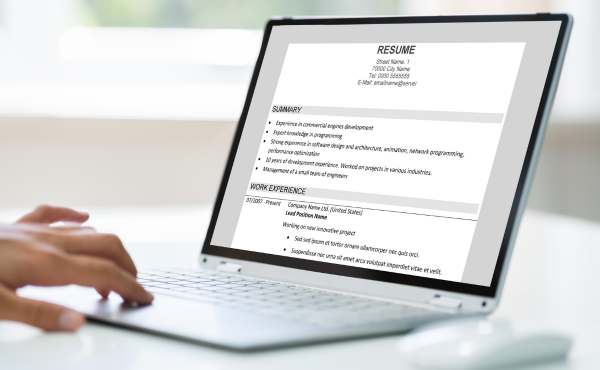
Before diving into the implementation steps, let us examine why automation deserves a place in your HR strategy:Wasted time: The average manual onboarding process requires 10–14 hours of HR work per new hire. For a Canadian company hiring 20 people annually, that is 200–280 hours of pure administration—time that could be redirected toward talent development and employee engagement. Poor first impressions: Research from Canadian HR associations shows that 40% of new hires describe their onboarding as “poorly organized.” A disorganized start correlates directly with higher turnover in the first six months, costing employers 50–150% of the departing employee’s salary to replace them. Error-prone paperwork: Manual data entry across multiple systems produces errors in 8–12% of employee records. Correcting payroll mistakes, tax form issues, or benefits enrollment errors costs $200–500 per incident in reprocessing and compliance risk. These errors also damage employee trust when their first paycheck is incorrect. Compliance gaps: Canadian provincial employment standards vary significantly. Missing a mandatory step—such as proper TD1 form collection, workplace safety orientation, or provincial labour law disclosures—creates legal exposure and potential fines ranging from $1,000 to $50,000 depending on the jurisdiction and violation severity. Delayed productivity: When onboarding drags on through paperwork delays and scheduling conflicts, new hires take longer to reach full contribution. The typical time-to-productivity stretches 3–6 months without structured, automated support. In consulting, technology, and professional services firms, this delay directly impacts billable revenue and project timelines. Inconsistent experiences: Manual onboarding varies based on who is handling it and how busy they are. Automation ensures every new hire receives the same high-quality, complete experience regardless of timing or HR team capacity.
Start by auditing every touchpoint from offer acceptance through the first 90 days. Document who performs each task, which forms and systems are involved, and where delays or handoff failures typically occur. Interview recent hires about their experience— they will identify friction points you have normalized.Most Canadian SMBs discover that roughly 60% of onboarding steps are purely administrative and do not require human judgment. These steps—form distribution, data entry, document chasing, and scheduling—are your prime automation candidates. Create a detailed flowchart showing each step, the owner, average time required, and identified bottleneck points.Pay special attention to cross-departmental handoffs. The transition from HR to IT for equipment setup, from IT to facilities for access cards, and from managers to training coordinators are common failure points.Tool to use: Avro’s MagicHR platform includes a workflow mapping module that visualizes your current process and highlights the highest-impact automation opportunities.Expected outcome: A complete process map showing exactly which steps to fully automate, partially automate, or preserve as human-led interactions.
Replace PDF attachments, printed forms, and email threads with digital intake forms that pre-fill employee data across all required documents. Connect these forms directly to your HRIS, payroll system, and benefits platform so information flows automatically without manual rekeying.Smart forms should validate data in real time. If a new hire enters an invalid SIN format, misses a required provincial field, or uploads an unclear document photo, the system flags it instantly rather than creating a downstream correction cycle.Design your forms for mobile completion. Many new hires complete paperwork on their phones during commutes or evenings. Forms that require desktop browsers or PDF downloads create unnecessary delays.Tool to use: MagicHR’s intelligent form builder creates conditional forms that adapt dynamically based on province, role type, and employment status. A full-time Ontario hire sees different fields and tax forms than a part-time Alberta contractor.Expected outcome: 95% of new hires complete all required paperwork before their first day, with near-zero data entry errors.
Set up automated request sequences for all required documentation: federal TD1 forms, provincial tax forms, direct deposit information, benefits enrollment selections, emergency contact details, and role-specific certifications. The system should send timed, polite email reminders for missing documents without requiring HR team intervention.Add intelligent document verification for government IDs and professional certifications. The AI checks that uploaded files are legible, match the employee’s stated name, and have not expired. For regulated industries like healthcare and finance, this verification step is essential for compliance.Create a centralized document vault with version control. When an employee updates their address or banking details, the system archives previous versions while maintaining the current record.Tool to use: MagicHR’s document automation engine manages collection, verification, and secure storage with PIPEDA-compliant encryption and Canadian data residency.Expected outcome: Complete, verified employee files assembled automatically within 48 hours of offer acceptance.
Create automated learning tracks that assign courses, readings, and assessments based on job title, department, and location. A new software developer automatically receives security training and code standards modules. A new sales representative gets CRM onboarding and product certification tracks.The AI should adjust content difficulty based on pre-assessment results. Experienced hires can skip foundational modules; recent graduates receive additional support resources. The system tracks completion and nudges learners who fall behind schedule with gentle, automated reminders.Include microlearning modules that employees can complete in 5–10 minute increments. Long training sessions overwhelm new hires who are already absorbing large amounts of information.Tool to use: MagicHR integrates with leading learning management systems and can trigger training assignments automatically based on hire data and role profiles.Expected outcome: 40% faster time-to-productivity as new hires complete relevant, targeted training in their first two weeks.
Connect your calendar system to auto-book all essential onboarding meetings: welcome calls with direct managers, IT equipment setup sessions, benefits orientation calls, safety training sessions, and structured 30/60/90-day check-ins. The AI finds optimal times across time zones, respects existing calendar blocks, and sends calendar invites with embedded video conference links.Build buffer time into the schedule. Back-to-back meetings overwhelm new hires. Space onboarding activities across the first two weeks with reflection time between sessions.Tool to use: MagicHR’s calendar integration works seamlessly with Google Calendar, Microsoft Outlook, and Calendly.Expected outcome: Zero scheduling back-and-forth for HR coordinators. Every new hire has a complete calendar of onboarding activities before their first day begins.
Add a conversational AI interface—available via web chat, email, or Slack—that answers common new-hire questions around the clock. “Where do I find my benefits summary?” “What is the office Wi-Fi password?” “Who is my IT contact for laptop issues?” The AI pulls answers from your company knowledge base and escalates complex or sensitive questions to appropriate HR staff.Train the AI on seasonal and policy changes. When benefits renewal season arrives or the company updates its remote work policy, the AI automatically provides current information without requiring manual FAQ updates.Tool to use: MagicHR’s built-in AI assistant trains on your company handbook, benefits guides, IT documentation, and organizational directory.Expected outcome: 80% reduction in repetitive HR inquiries, freeing your team to focus on high-touch coaching, culture-building, and strategic work.
Set up automated dashboards showing each new hire’s real-time completion rate across paperwork, training modules, and scheduled meetings. Trigger brief pulse surveys at day 7, day 30, and day 90. Use sentiment analysis to identify at-risk employees early—before they disengage or consider leaving.Share onboarding metrics with leadership. Track completion rates, time-to-productivity, and satisfaction scores by department and manager. This visibility drives accountability and highlights managers who may need additional onboarding coaching.Tool to use: MagicHR’s analytics dashboard provides real-time visibility into onboarding health across individuals, departments, and your entire organization.Expected outcome: Data-driven, continuous improvement of your onboarding program based on actual employee feedback and measurable completion metrics.
75% reduction in onboarding admin time — from 10–14 hours per hire to under 3 hours 40% faster time-to-productivity as structured automation accelerates new employee contribution 98% paperwork completion rate before day one through automated chasing and verification 80% fewer repetitive HR inquiries through AI-powered self-service 35% improvement in new-hire satisfaction and engagement scores $1,200–2,000 saved per employee annually in administrative labour and error correction costs 50% reduction in early turnover through consistent, high-quality first impressions
Automating without mapping first. Building automation on top of a broken workflow simply creates faster broken processes. Always map and optimize your workflow before adding technology. Over-automating the human touch. Personal welcome calls, manager introductions, team lunches, and mentorship relationships should remain human-led. Automation handles administration so people can focus on building genuine connections. Ignoring provincial compliance differences. Ontario, Quebec, British Columbia, and Alberta each maintain unique employment standards and tax requirements. Your automated forms and checklists must reflect the correct jurisdiction. Skipping feedback loops. Automation is never “set and forget.” Review completion rates, survey responses, and drop-off points monthly to refine your sequences.
How long does it take to implement automated onboarding?Most Canadian SMBs go live within 2–4 weeks using MagicHR. Simple setups with basic form automation can be live in under a week. Complex multi-branch organizations with custom integrations typically need 4–6 weeks. Our implementation team guides you through workflow mapping, form configuration, and staff training.Will automation make onboarding feel impersonal?Not when implemented thoughtfully. Automation eliminates paperwork friction and scheduling chaos, which actually gives your HR team more time for meaningful conversations, culture immersion, and personalized coaching. New hires consistently report feeling more supported when their administrative experience is seamless.Is AI onboarding compliant with Canadian privacy laws?Yes. Avro’s platform is built with PIPEDA compliance at its core, offering Canadian data residency options, granular role-based access controls, and complete audit trails for all employee data handling. We also support provincial privacy law requirements where they exceed federal standards.Ready to transform your onboarding experience? Explore MagicHR for intelligent HR automation, check our pricing, or contact us for a personalized demo. For a broader look at AI automation for Canadian businesses, read our Small Business AI Automation Guide.